
Tools5 min read
Client management software for coaches, reconsidered
Client management software for coaches usually means a sales CRM. For a solo coaching practice, the real need is different. Here is what to look for.

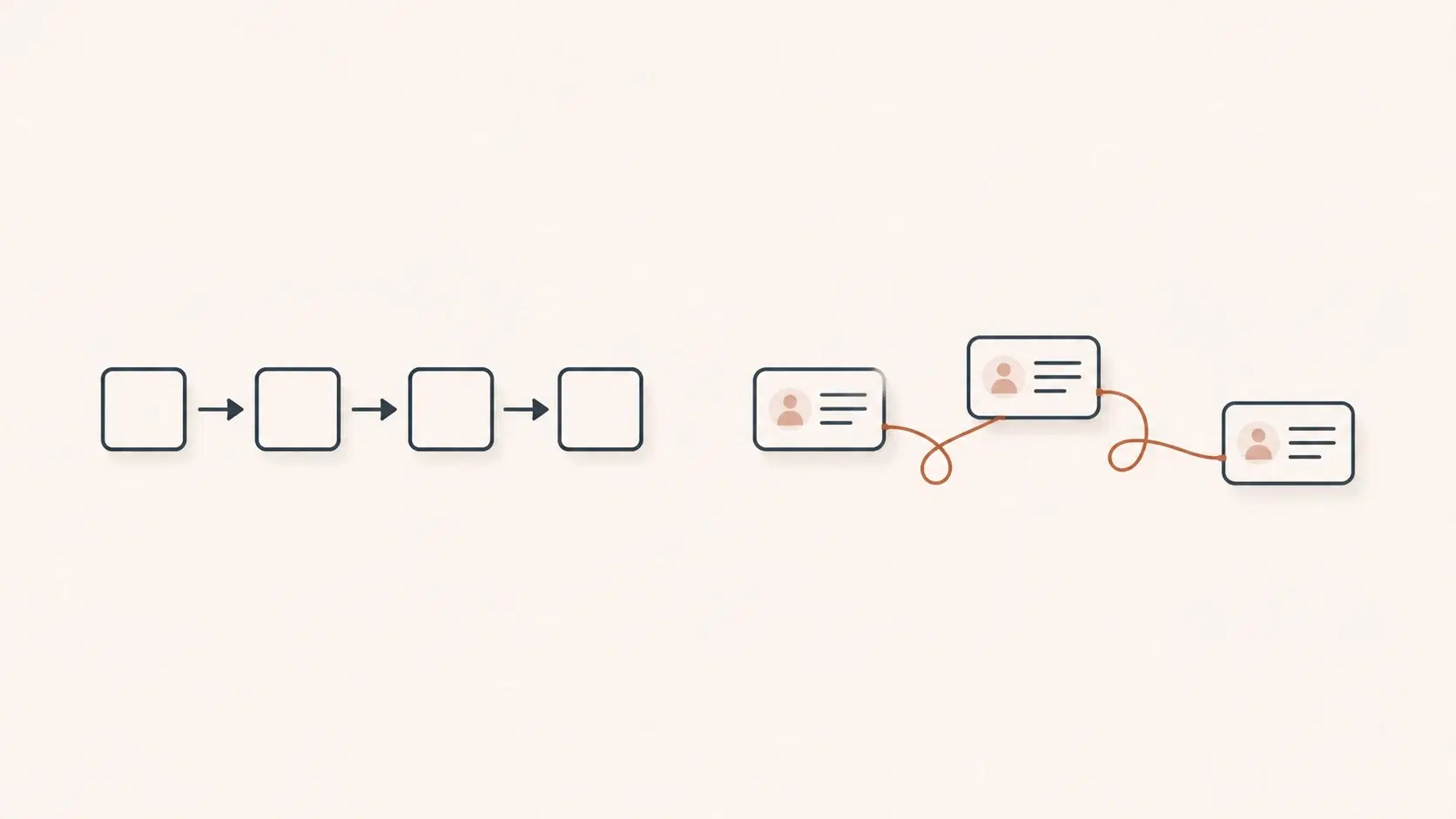
What does client management actually mean for a coach?
In short: for a solo coach, client management software does not mean a sales CRM. With twenty to forty deep, long relationships rather than a lead pipeline, the real job is remembering each person across sessions, so the capability that matters is longitudinal client memory, not deal stages and follow-up reminders.
For most software vendors, client management software for coaches means a CRM: a pipeline of leads, contact records, deal stages and follow-up reminders borrowed from sales teams. That model fits a business that sells to many prospects. It fits a solo coaching practice far less well, because a coach does not manage a pipeline, they hold a small number of deep, long relationships over time. The real job is not tracking a deal, it is remembering a person.
That distinction changes what you should look for. Below, we separate the sales-CRM features you can usually ignore from the coaching-specific capability that genuinely matters, and where it fits alongside the broader choices we cover in our guide to coaching software for solo coaches.
The sales-CRM features you probably do not need
A generic CRM optimises for volume: capturing many leads, scoring them, moving them through stages, and automating outreach so nothing slips. A solo coach with twenty to forty active clients rarely lives in that world. You are not chasing a hundred cold prospects, and a deal-stage board adds friction without adding insight.
Most of the heavyweight CRM machinery, lead scoring, multi-step sales automation, territory management, is simply the wrong tool for the job. Paying for it, and worse, maintaining it, pulls attention away from the work. If a tool's core metaphor is a sales funnel, it was built for someone other than you.
What a coach actually manages: the relationship over time
The thing a coach needs to manage is continuity. Between two sessions that might be three weeks apart, a client's context fades: what they committed to, the breakthrough from last time, the topic you agreed to revisit, the thing they said in passing that mattered more than the agenda. Holding that thread across months, across many clients, is the actual management problem.
A spreadsheet or a contact record cannot do this, because the information that matters is not structured data, it is the substance of conversations. This is why we treat client management for coaches as a memory problem first, and an admin problem second. We go deeper into the practical decision in our comparison of client tracking tools for coaches.
Criteria that matter for a coaching practice
When you evaluate any client management software through a coaching lens, a short checklist cuts through the marketing:
- Continuity, not pipeline. Can it surface what happened last time before your next session, without you reconstructing it from scattered notes?
- Substance over fields. Does it hold the content of sessions (decisions, commitments, open threads), or just contact details and appointment dates?
- Low maintenance. Keeping client records current should not become a second job. If it relies on you typing everything up after a long day, it will lapse.
- Privacy by design. Coaching records touch a client's wellbeing. Hosting location and whether your data trains third-party models are not details. We cover this in AI in coaching: privacy and data protection.
- Holds up as you grow. A system that is comfortable at fifteen clients and overwhelming at forty is a system you will replace. See managing many coaching clients for how this pressure builds.
A concrete example: the three-week gap
Picture a client you see every three weeks. At the last session they decided to have a difficult conversation with their manager, mentioned in passing that a parent was unwell, and asked to revisit their long-term direction "next time". Three weeks later, a sales CRM can tell you the appointment is booked and the invoice is paid. It cannot tell you any of the three things that actually matter for the next hour.
So you spend the first ten minutes reconstructing context, or worse, you forget the parent entirely and the client quietly notes that you did. Multiply that by thirty clients and the cost is not just lost minutes, it is the erosion of the one thing a coach sells: being fully present and genuinely remembering. Good client management for a coach is whatever closes that three-week gap. Almost everything marketed as a coaching CRM leaves it wide open.
Choosing without overbuying
The practical move is to resist the urge to buy capability you will never use. If your administration is genuinely heavy, an all-in-one coaching platform handles scheduling and billing well. But do not confuse that with managing the relationship. The two are different needs, and the second is the one most tools quietly leave to you.
So start narrow. Ask what actually goes wrong in your practice today. If it is double-bookings and late invoices, that is an admin tool. If it is arriving at a session unsure where you left off, or spending your evenings writing up notes you half-remember, that is a memory tool, and a sales CRM will not touch it.
That second gap is the one we built Klarity around: a longitudinal memory of each client, fed session after session, so you walk in already holding the thread instead of rebuilding it. If that is the part your current setup leaves to you, you can discover Klarity.
Frequently asked questions
Is a CRM good client management software for coaches?
A sales CRM is built to move many leads through a pipeline, not to remember a few clients deeply over time. For a solo coach with twenty to forty ongoing relationships, lead scoring and deal stages add friction without insight. The capability that actually matters is a longitudinal memory of each client, which most coaching CRMs do not provide.
What should a coach look for in client management software?
Four things: continuity (it surfaces what happened last session before the next one), substance over fields (it holds decisions, commitments and open threads, not just contact details and dates), low maintenance, and privacy by design (hosting in France, and data not used to train third-party models).
What is the difference between a coaching CRM and a memory tool?
A coaching CRM tracks the commercial relationship: appointments, invoices and packages. A memory tool tracks the substance of the work: what was said, decided and left open across sessions. An admin tool fixes double-bookings and late invoices; a memory tool fixes arriving at a session unsure where you left off.
What if memory were to build itself?
Klarity prepares your sessions and keeps the thread of every client, for you.
Read next
All articlesTools
Coaching software for solo coaches: how to choose
A guide to coaching software and platforms for solo coaches: all-in-one admin platforms, a lightweight stack and memory-first tools compared, with the tools named.
Tools
Client tracking tools for coaches: an honest comparison
Spreadsheet, Notion, or dedicated software? A frank comparison of client tracking tools for solo coaches: criteria, trade-offs, and what holds up long-term.
Tools
Granola AI alternative for coaches: what to look for
Granola is a great AI notepad for meetings, but coaching needs more. What a Granola AI alternative should offer a solo coach: memory, briefings, privacy.